A1 forms, CoC, PWN - automated end-to-end.
Simplify the most important social security forms for any kind of cross-border travel. Vamoz automates compliance checks, form applications and documentation end to end.
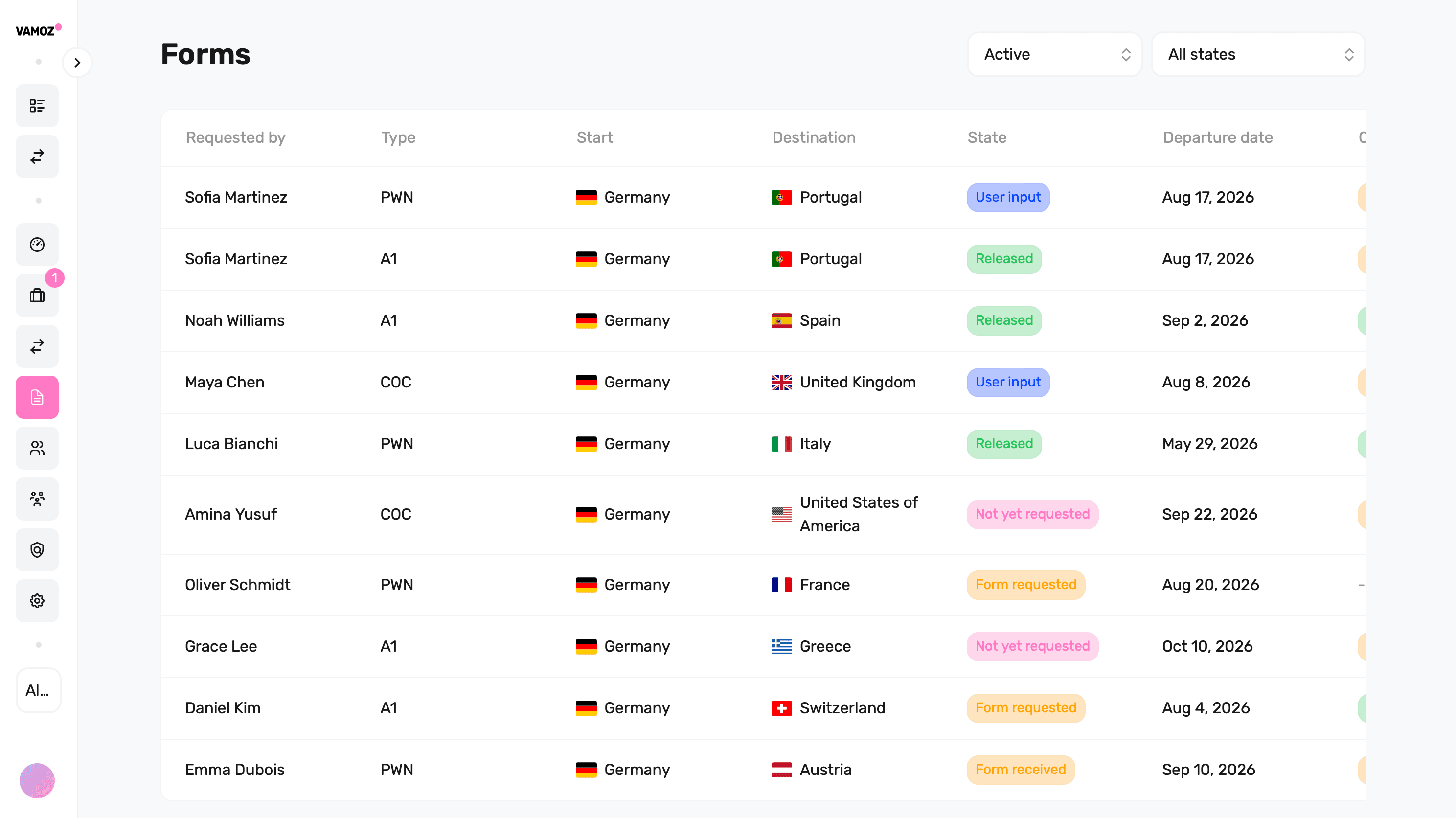


A1, COC and PWN in one place
Manage social security certificates and posting notifications with Vamoz.
A1 certificates
Proof of social security coverage for work across borders in the EU, EFTA and Switzerland. Vamoz helps manage applications and renewals for temporary work abroad, work in several countries and eligible cross-border telework.
Read more in the glossaryCertificates of Coverage (COC)
Proof of social security coverage under an agreement between two countries. Vamoz helps prepare applications, track their status and keep documents together. Requirements depend on the countries involved.
Read more in the glossaryPosted Worker Notifications (PWN)
A notification to local authorities when an employee is sent to work in another country. Vamoz helps identify requirements, prepare filings and track deadlines. A trip may also need an A1 or COC.
Read more in the glossaryTrigger the right evidence for every international work case
Vamoz connects case data to the right form and notification workflow without asking for the same details repeatedly.

Identify form requirements early
Use countries, duration, activity and employment setup to determine which certificates or notifications need review.

Capture data once and reuse it
Reuse employee, employer and assignment data across A1, CoC and country-specific notifications.

Manage status and evidence centrally
Track submission, authority questions, validity and documents in one case while keeping employees informed.
What are the risks of cross-border forms?
The right form depends on the countries, case type, duration and person; mistakes often surface only during an inspection.
Run every form workflow from one case
Route the requirement, collect the right data and keep submission status and evidence visible.
Form and notification router
- A1 and multi-state A1
- Certificate of Coverage
- Posted Worker Notifications
Use the mobility case to identify which certificate or notification should be reviewed.
Structured data collection
- Country- and form-specific fields
- Data validation before handoff
- Reusable person and employer records
Collect employee, employer, activity and destination data once and reuse it across workflows.
Submission and status tracking
- Submission and authority status
- Questions, corrections and reminders
- Transparent ownership
Track submissions and follow-up with a clear process for automated submission, digital preparation or specialist support, depending on the country and form.
Evidence and validity management
- Central document history
- Validity and renewal reminders
- Employee access to evidence
Keep issued documents, validity periods and renewal tasks connected to the employee case.
From mobility case to valid evidence
Use one workflow to identify requirements, prepare data, submit and monitor the result.
Frequently asked questions
Simplify form processes for cross-border work
See how Vamoz can connect A1, CoC and notifications with the underlying mobility case.